
Here is something I have not seen in a long time. Somebody actually using one of these LinkNYC kiosks:
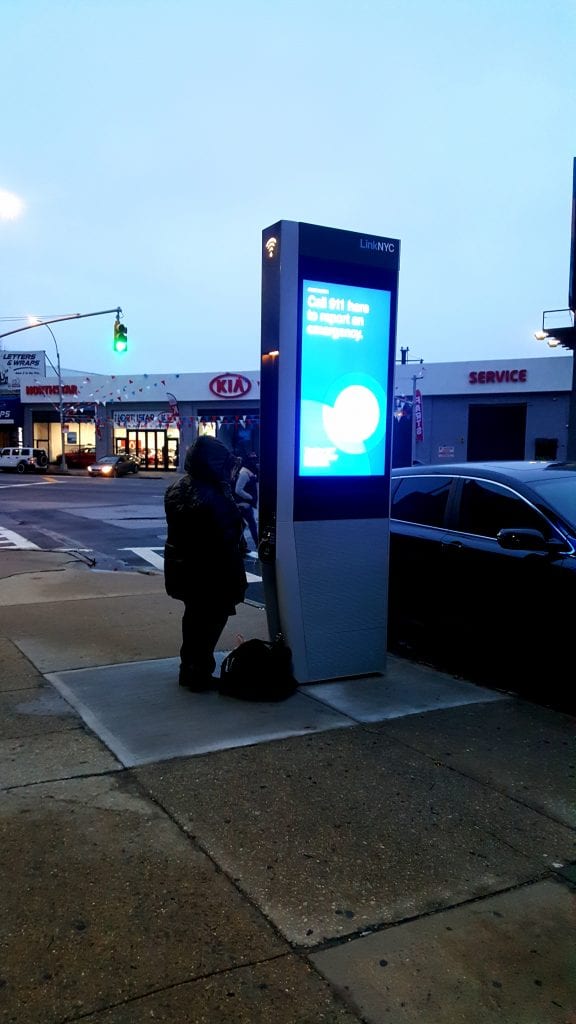
In my flâneur rambles of late the only person who seems to make use of LinkNYC kiosks has been me. My sudden interest in actually using these kiosks arose after a series of surprising and intriguing discoveries, the results of which have me thinking I am more of an anarchist than I realized. It’s hush hush for now as I have my fun with these things, but suffice it to say that the possibilities for hilarity with these kiosks is greater than I had reason to consider. I was not looking for this sort of thing. I was not even thinking about it. But one thought led to another and the pieces of a puzzle I did not know was hovering right in front of me came together.
But the point of this story is to report that the mapping app seems to have been crippled, for what good reason I cannot imagine.
A few weeks ago I commented that call quality on these kiosks, which has always been horrible, actually got worse when CityBridge made the seemingly intentional decision to limit the maximum volume to only half way. This made calls in any kind of noisy environment (such as a city street, duh, where all these things are located) just about impossible. For now that puzzling little matter seems to have been fixed. You can pump up the volume all the way so the voice of the person you call from a kiosk can now be heard loud and clear by you and all passers-by through the device’s loudspeaker.
But I now find myself flummoxed by the seemingly intentional decision to make the maps app unusable.
The way LinkNYC maps used to work, at least I think I remember this right, was that when you opened the app you would get a map of the area where you were standing. It told you where you were. More or less. I’ve overheard a number of people question the value of these devices telling you where you are but whatever the case that was what happened when you opened the app. It did not always work with precision (kiosks sometimes said I was in a neighboring zip code) but more often than not it was close enough for jazz.
Now when you open the app you are no longer given a local map telling you where you are. Instead you get a wider view of the city with Manhattan at the center and the other boroughs trimmed away by at least half. Almost half the screen is taken up by a column of white space crowned by 6 buttons.

The point of this app used to be that it would help you “find your way”, meaning you could use it to find a particular destination or a type of place you were interested in in the area. Using the on-screen QWERTY keyboard you might type in something like “coffee” or “movie theater” and the app would produce a map speckled with pointers indicating where those type of places were located near you.
Not anymore. Virtually all pointers lead to Manhattan, no matter where you are. Here I was on Queens Boulevard in Sunnyside looking for a coffee shop nearby. LinkNYC directed me to a bunch of Manhattan locations:

Only after touching the screen did I notice the option to “SEARCH THIS AREA”. I thought: These are exactly the kind of needless hoops the constipated Smart City will force its citizens to jump through. Maybe I am just not smart enough for the Smart City but I could not imagine what possible good reason there could be for turning the local mapping function of these kiosks into an irritating and unwieldy multi-step process.
But guess what? The “SEARCH THIS AREA” button did not work either. Tapping that button returned a bunch of coffee shops over on the upper east side of Manhattan, with one in Long Island City.

Behavior from one kiosk to the next was consistently erratic. One tablet sent me to coffee shops in midtown Manhattan, another to locations on the upper east side.
Give credit where due though. The directions function seems to work. Standing at 59-30 Queens Boulevard I asked the app for walking directions to Astoria. Pinpointing my starting location precisely the app produced what looked like accurate directions from that point B to my point A.

So why does it know where I am when asking directions but not when I am looking for a coffee shop? And why am I writing about this as if I am a product manager for these kiosks? It’s because I don’t think anyone else will, and that praises for the public amenities offered by these kiosks are sung loudest by those who never actually use them and who remain unaware that some amenities offered by these devices simply do not work.
And as for the directions served up by the mapping app, how useful is that really? If I had actually intended to use these directions I would either have to memorize them, write them down with pen and paper, or else take a picture of the screen with my smartphone and zoom in on the text matter. But then if I had a smartphone I would most likely have looked up directions on that, couldn’t I?
I guess these curbside directions would be handy if you needed a reminder how to get from point A to point B, or if you were unsure where point B was. But on balance I feel like this is information litter ballyhooed as more useful than it really is.
Other things on the map app include satellite view, in case you are using these kiosks to plan an aerial assault:

You cannot get to StreetView on these kiosks, but the link is there to tantalize and tease you into accessing this glum-looking dead end:

There is a “Traffic” button that produces a map illustrating what I assumed to be accurate traffic conditions on local highways. Hooray for the brave new world. But then there is a “Transit Lines” button that when tapped does not appear to do anything. There is also a sidebar menu with links to a bunch of features:

Most of them do not work:

The only other feature I use (and that I am ready to talk about publicly) is the free phone calling, which as I said earlier has actually improved in the last several weeks. I rarely see anyone using the phone feature but the New York Times reported last month that the 1,250 kiosks installed so far are used to make 200,000 phone calls per month. Giving them the very generous benefit of the doubt that all 1,250 kiosks are actually working that would average out to about 5 or 6 calls per kiosk per day. While call quality has returned from being almost unusable to its earlier state of horribleness I continue to find that many of my attempts to make phone calls simply do not go through. It used to be as much as half the time but lately it seems to have improved to where maybe 20% of calls either never connect or they look like they connected but never really did.
The Times piece also mentions that the most frequently called number from the kiosks is the food stamps hotline. I was surprised CityBridge released that information, revealing as it does the fact that they actually monitor what phone numbers are being called. From there is it a small step to actually listening in on the calls? Probably not but I have to ask what value there is in telling a newspaper what numbers are being called from these things. If they volunteered what the most-called number is why not release a dataset of all numbers being called?